
Log in to Gesti’up
How to connect to the Gesti’up application
Connect to the Gesti’up application
You have 2 methods to log into your user session
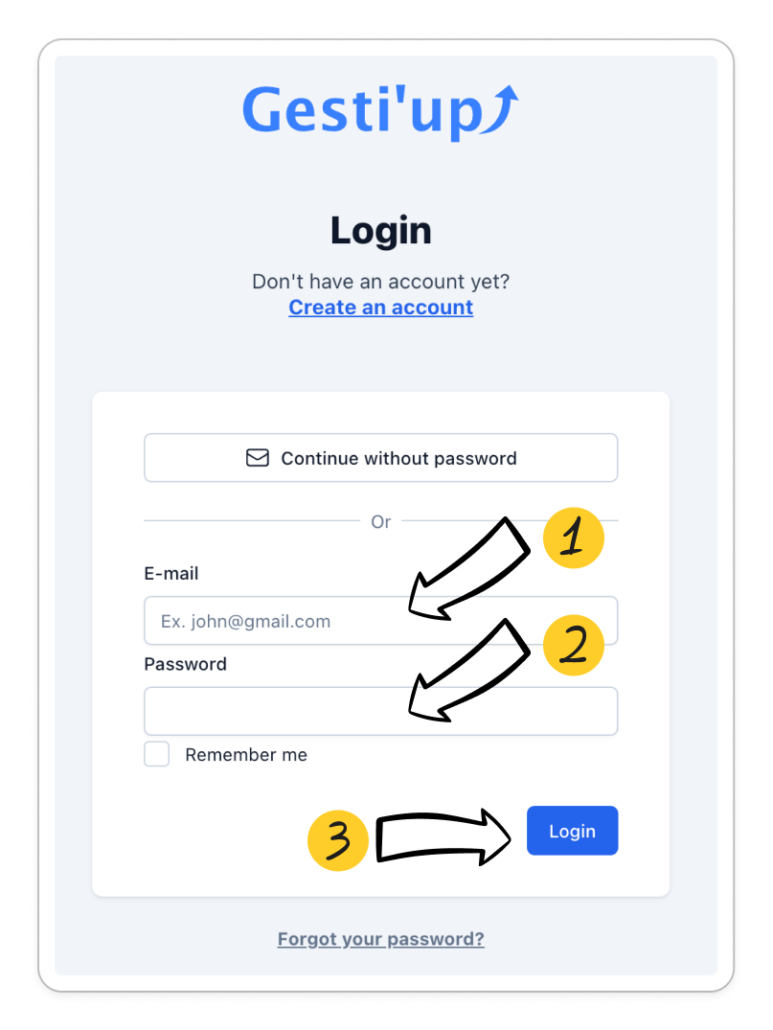
Password login
From the URL bar of your browser, enter the address www.app.gestiup.fr
- Enter your login email address
- Enter your password
- Click on “Login”
A password must contain:
- At least 12 characters
- At least 1 capital letter
- At least 1 lower case
- At least 1 digit
- At least 1 special character
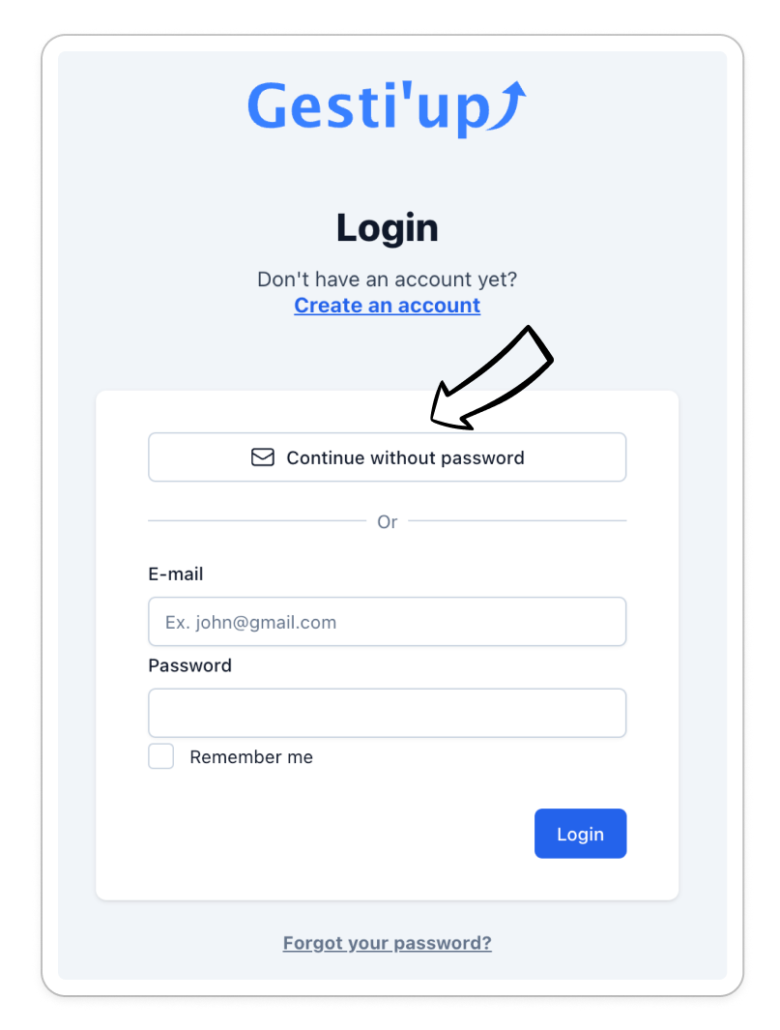
Login without password
From the URL bar of your browser, enter the address www.app.gestiup.fr
- Click on “Continue without password”
- Enter your login email address
- Click on “Get confirmation code”
- Enter the connection code received on your connection email address
First connection
- Once your user session is created by your “Account Creator” and activated, a password creation Email is sent to your Email address
- From this Email received, carry out the instructions to create your password
- Go to the Gesti’up login page www.app.gestiup.fr
If you have not received the first login email or the reset link has expired, you can click on “Forgot your password?” from the Gesti’up login page www.app.gestiup.fr
Error messages when connecting
When you log in, you may encounter one of the following error messages. Here is their meaning and the action to perform:
- Incorrect email or password: The email address or password entered is incorrect. If it is an incorrect password, click on “forgot your password?” in order to reset it. If this is the connection email address:
- You are an “Account Creator”: Contact our support, either by Email at support@gestiup.fr, or create an intervention request from the Chat bubble, attaching a copy of your identity document and your new Email address
- You are a “User”: Please contact your Gesti’up account creator to modify your connection email address.
- You are a “Chartered Accountant”: Please contact your Gesti’up “account creator” client to modify your connection email
- Session blocked: The account creator has deactivated your user session, please contact your account creator if necessary to reactivate it. Technical support will not be able to intervene if necessary.
- Blocked account: The company account is blocked for the following reasons: Subscription canceled, Non-payment, Detection of attempted fraud or hacking.

