
Reset my password
In case of forgotten password, perform a password reset.
Reset or change password from the login page
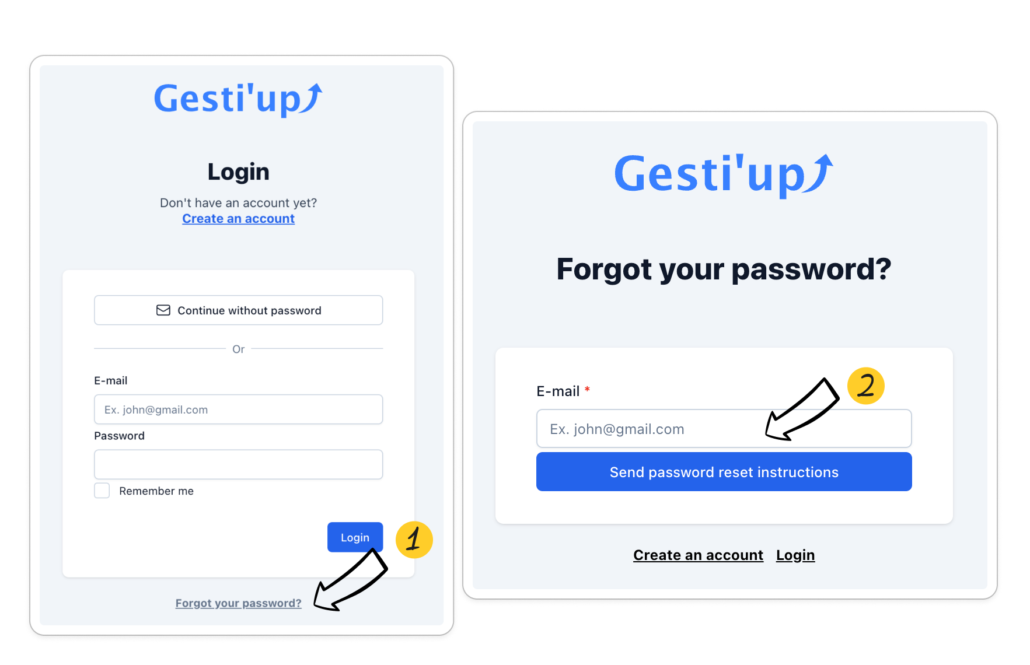
- From the Gesti’up login page; click on “Forgot your password?”
- Enter your login email address, then click on “Send instructions to reset password”
- Go to your Email, open the password reset email and follow the instructions
- Enter your new password and confirm it
A password must contain:
- At least 12 characters
- At least 1 capital letter
- At least 1 lower case
- At least 1 digit
- At least 1 special character
The password reset procedure is only possible if your login email address is valid and accessible. If not:
- You are an “Account Creator”: Contact our support, either by Email at support@gestiup.fr, or create an intervention request from the Chat bubble, attaching a copy of your identity document and your new Email address .
- You are a “User”: Please contact your Gesti’up account creator to modify your connection email address.
- You are an “Expert Accountant”: Please contact your Gesti’up “account creator” client to modify your connection email address.
Change password from user profile
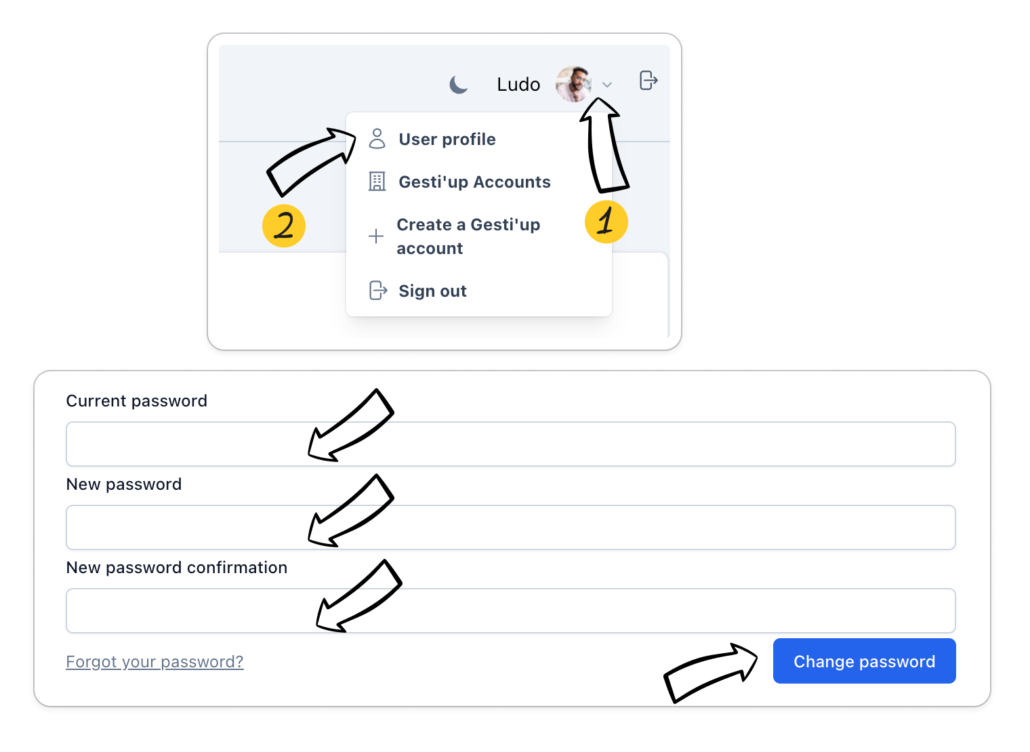
- Once connected to Gesti’up, click on your user profile at the top right of your interface
- Click on “Edit my password”
- Enter your current password and your new password, then validate
Password reset email not received
If you can’t find the email in your inbox:
- Check your junk or spam folder
- Also make sure that you have entered the correct email address associated with your Gesti’up user access.
- Contact your IT department to check that this Email is not blocked by a Firewall
- If after these checks, the password reset email is still not accessible, contact our support either by Email at support@gestiup.fr or create an intervention request from the Chat bubble by providing us with your address Login email.
Log in with two-factor authentication

