Customize your chart of accounts
View and personalize your chart of accounts by adding subdivisions of accounting codes.
What is the role of the chart of accounts?
The general accounting plan allows you to establish the compliant accounting necessary for the establishment of management journals in Gesti’up.
The tool offers you by default the generic accounting codes of classes 4 to 7 necessary for the generation of your purchases/sales, cash flow or miscellaneous transaction journals when using VAT on receipts.
If necessary, you can create new personalized accounting codes to meet the specific needs of your activity.
The goal is to benefit from automatic filling of accounting entries as soon as an invoice, credit note or payment from a customer or supplier is issued.
No more entering entries every kilometer, you just have to import them in bulk into your accounting tool.
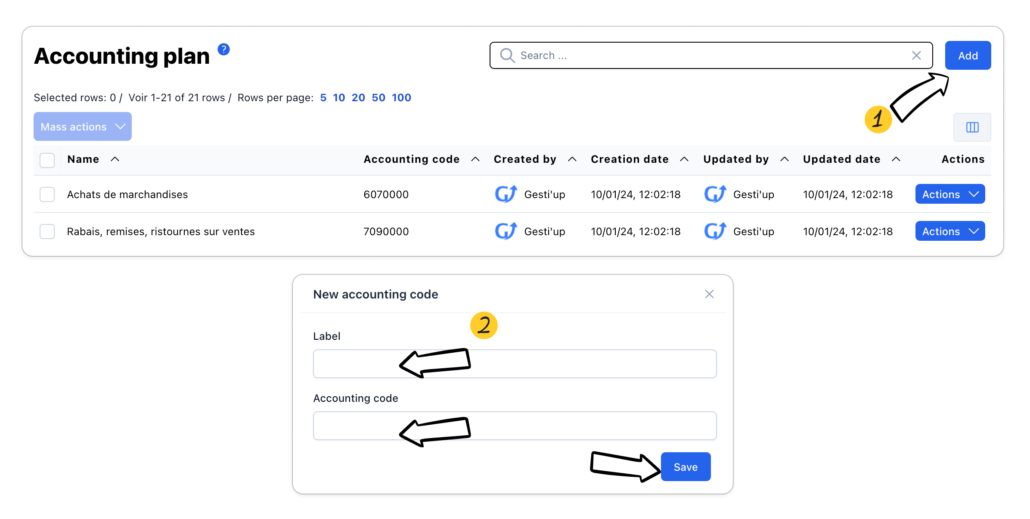
Add an accounting code to the chart of accounts
- Click on “Add”
- Enter the wording of the accounting code, the desired accounting code and save.
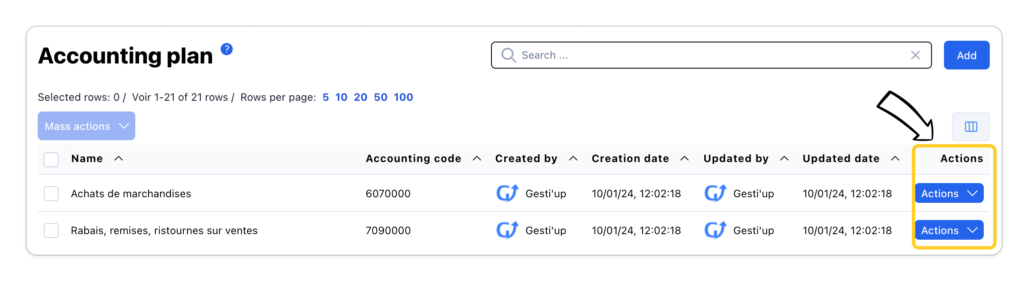
Modify an accounting code
Click on the “Actions > Edit” button to modify the label and the accounting code
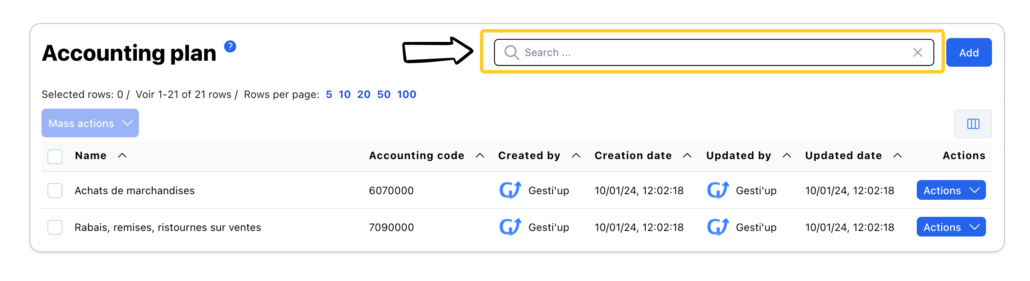
Search or filter for an accounting code
To search or filter, enter the desired value, the filter result will display all values “Containing” the indicated value.
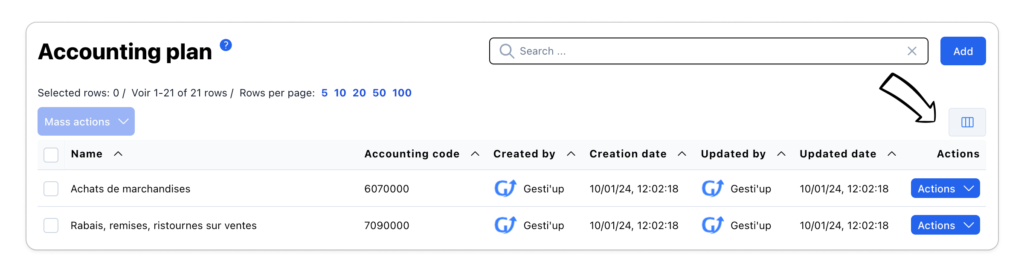
Displaying and organizing columns
Personnalisez la liste du plan comptable avec les colonnes disponibles.
- Cliquer sur le bouton « Gestion des colonnes »
- cliquer sur le bouton « Oeil » pour afficher ou masquer les colonnes souhaitées
- Organisez l’ordre des colonnes en positionnant le curseur de votre souris sur l’icone « 3 lignes »
- Cliquer sur réinitialiser pour revenir à l’affichage par défaut
Customize the chart of accounts list with the available columns.
- Click on the “Column management” button
- Click on the “Eye” button to show or hide the desired columns
- Organize the order of the columns by positioning your mouse cursor on the “3 lines” icon
- Click on reset to return to the default display
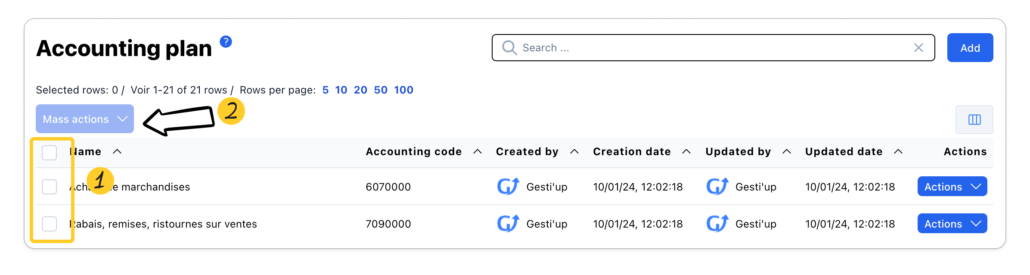
Mass actions
Mass actions are possible from the list of the chart of accounts:
- Export the list to CSV, Excel or PDF formats
- Mass deletion of accounting codes
Select the desired elements then click on “Mass Actions”. The bulk action will be performed on selected rows only.