
Add or delete an accounting code to the chart of accounts
Customize your chart of accounts by adding subdivisions of accounting codes.
Add an accounting code
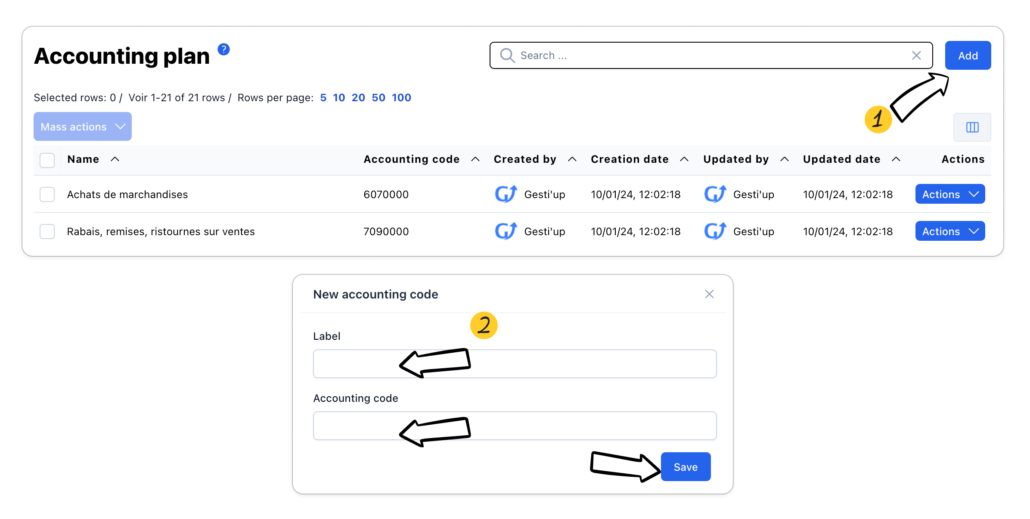
From the chart of accounts list:
- Click on “Add”
- Enter the wording of the accounting code, the desired accounting code and save.
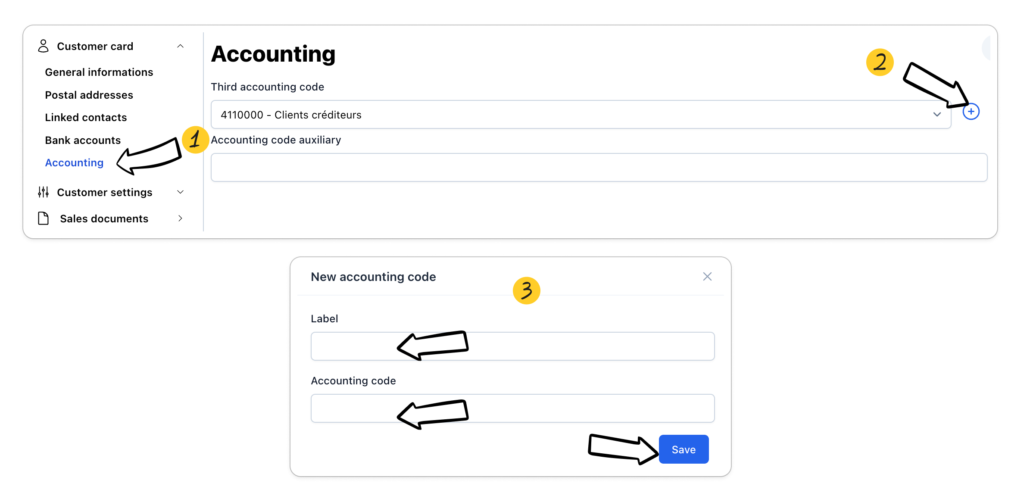
From a customer or supplier file:
- Go to the “File Accounting” section
- Click on the “+” button to create a new accounting code
- Enter the description and the desired accounting code
Modify an accounting code
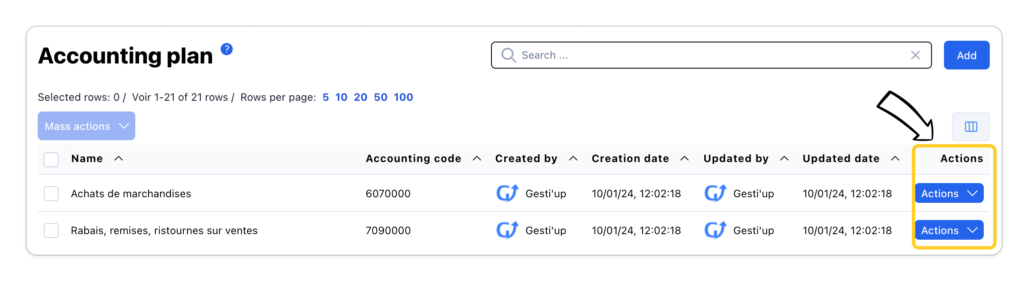
Click on the “Actions > Edit” button to modify the label and the accounting code
Delete an accounting code
Select the desired line(s) then click on “Mass Actions > Delete”
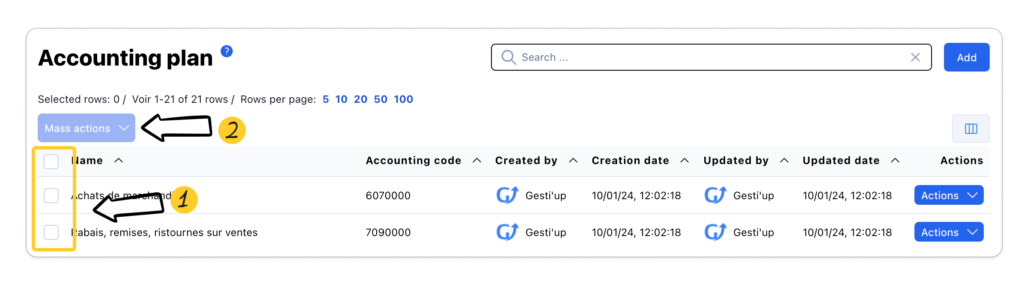
The default “Root” accounting codes and the accounting codes used cannot be deleted.

